

Ensurily
/05
Client
Ensurily
Industry
Med Tech, Insurance
Involvement
App Design for iOS, Product Design, Design System
task
The primary objective of this project was to design a mobile application for the iOS platform for a company specializing in medical insurance.
approach
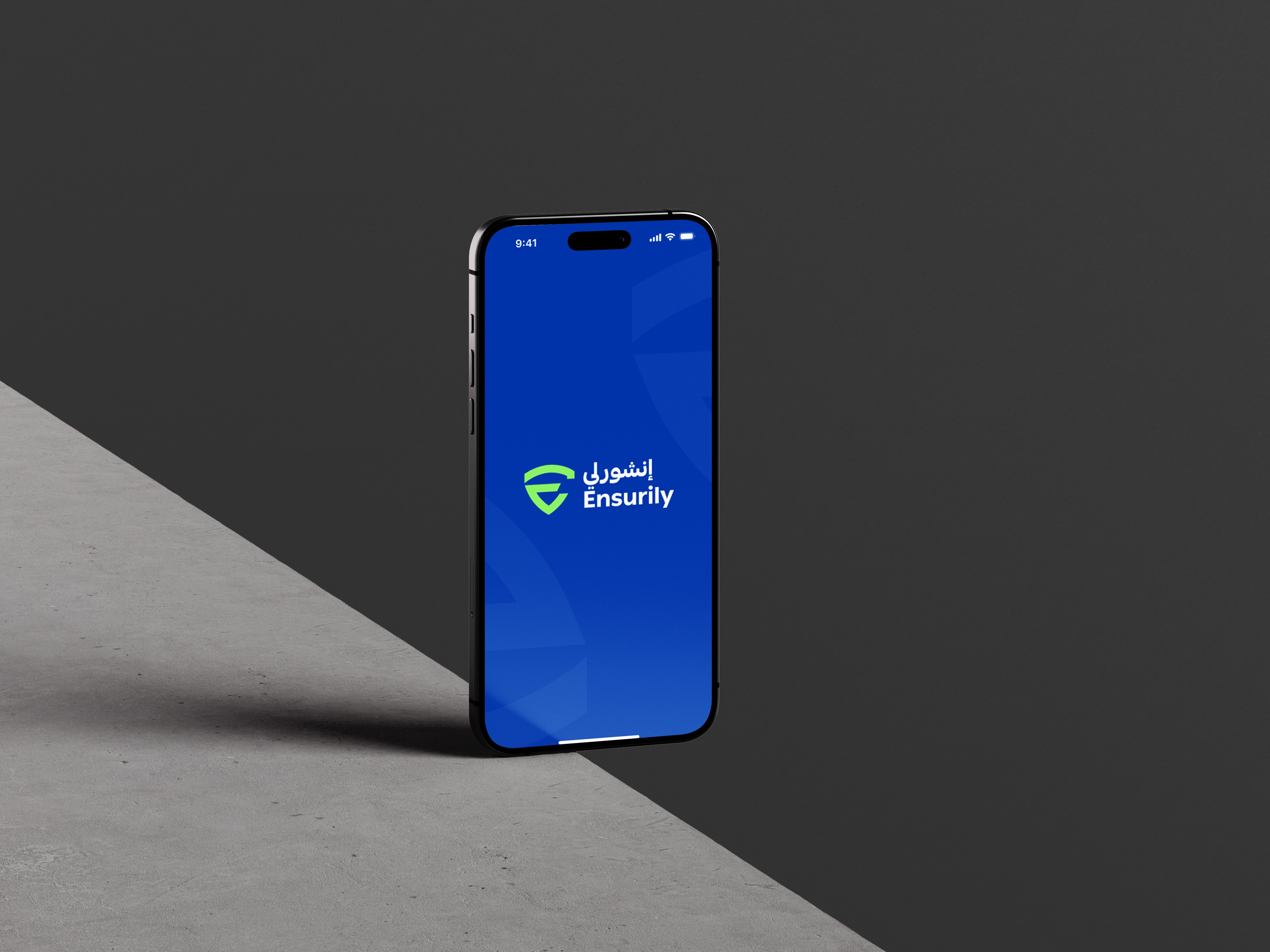
he task involved developing the app’s structure, creating a functional prototype, and establishing the brand’s visual identity based on the existing logo and color palette. My approach focused on designing an application that is intuitive, easy to use, and accessible for a wide range of users.
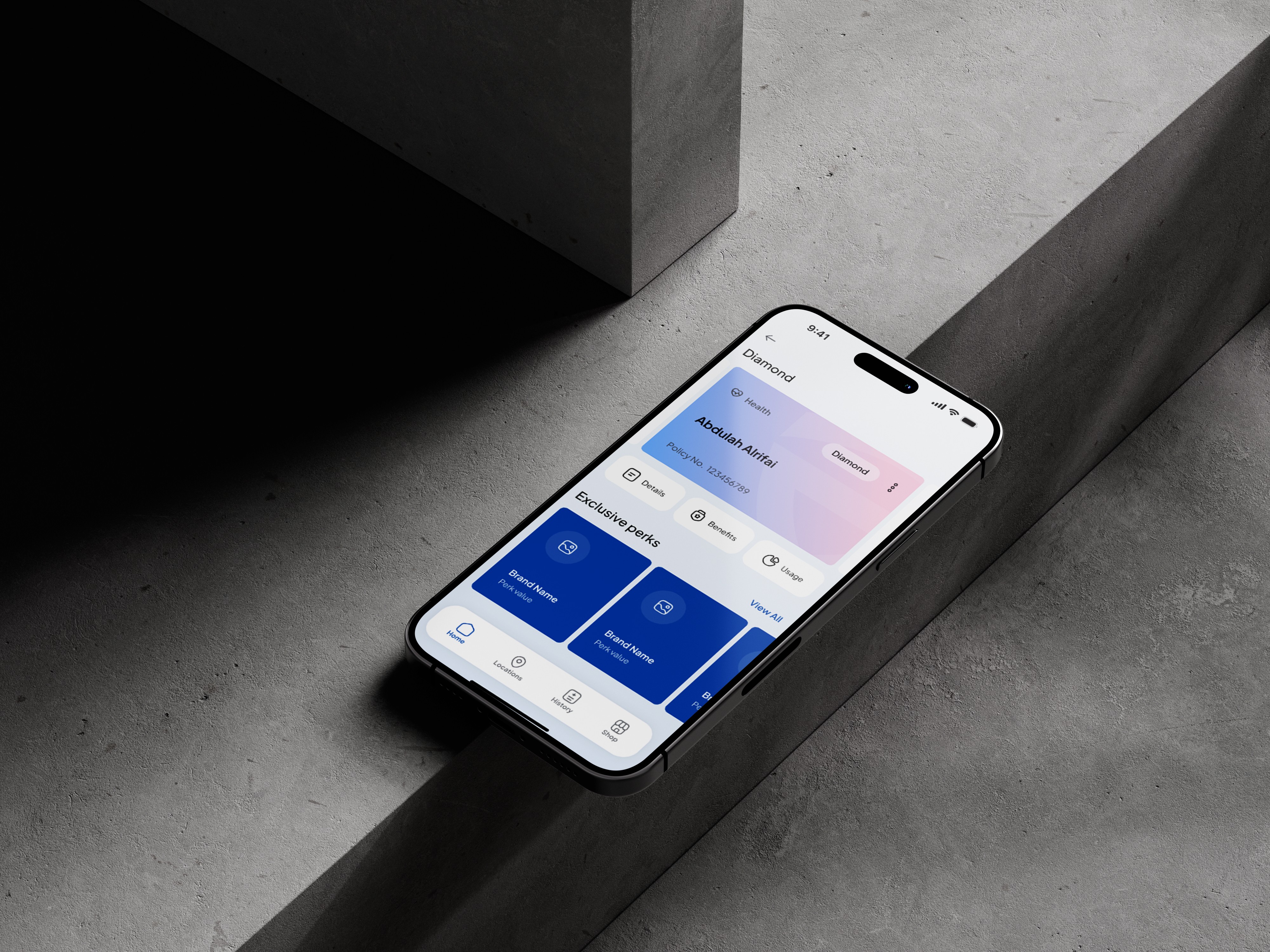
Ensurily is a digital app designed to simplify medical insurance. It helps users easily compare plans, manage policies, and access healthcare coverage in one place, making insurance more transparent, convenient, and accessible through a mobile-first experience.
Onboarding process
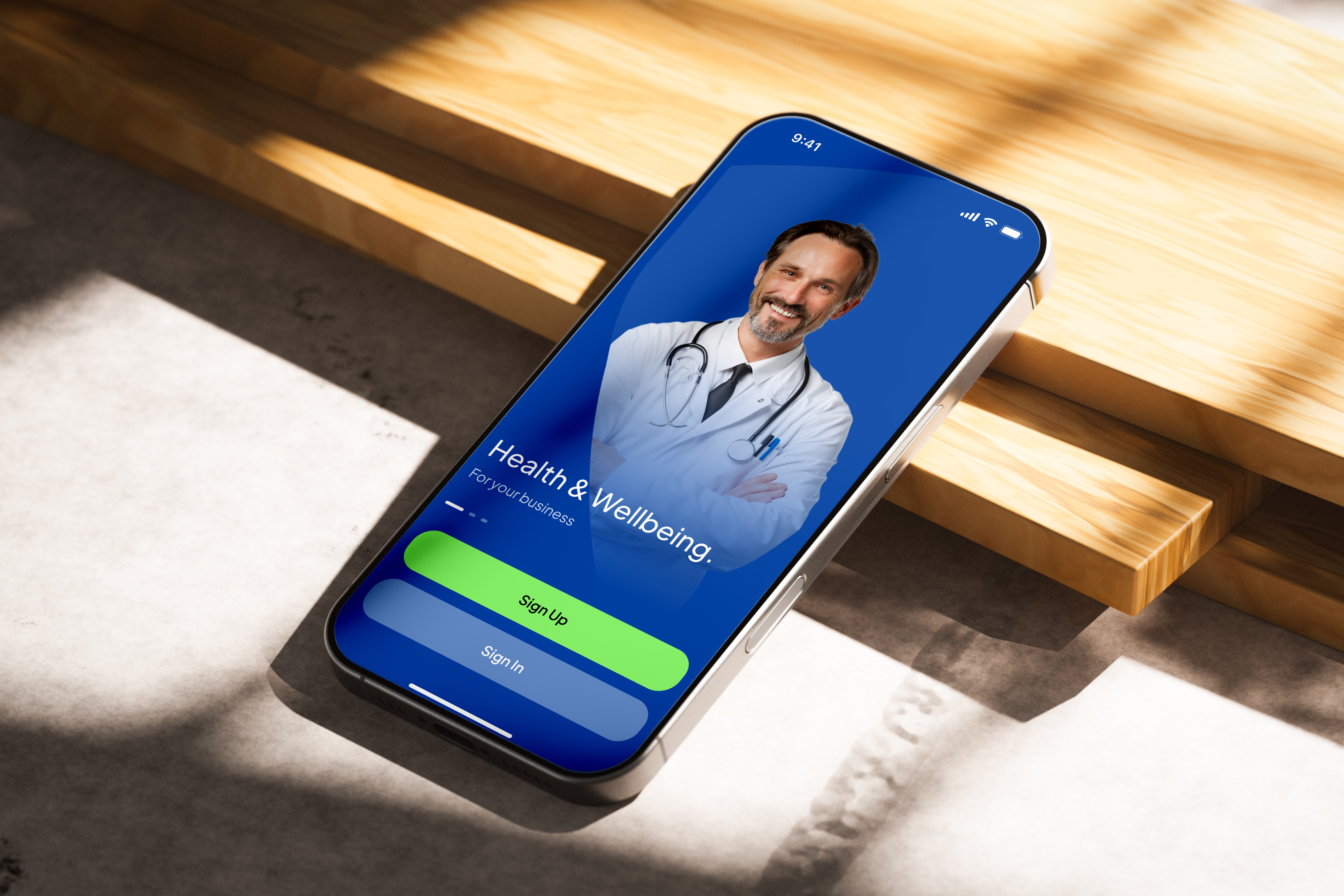
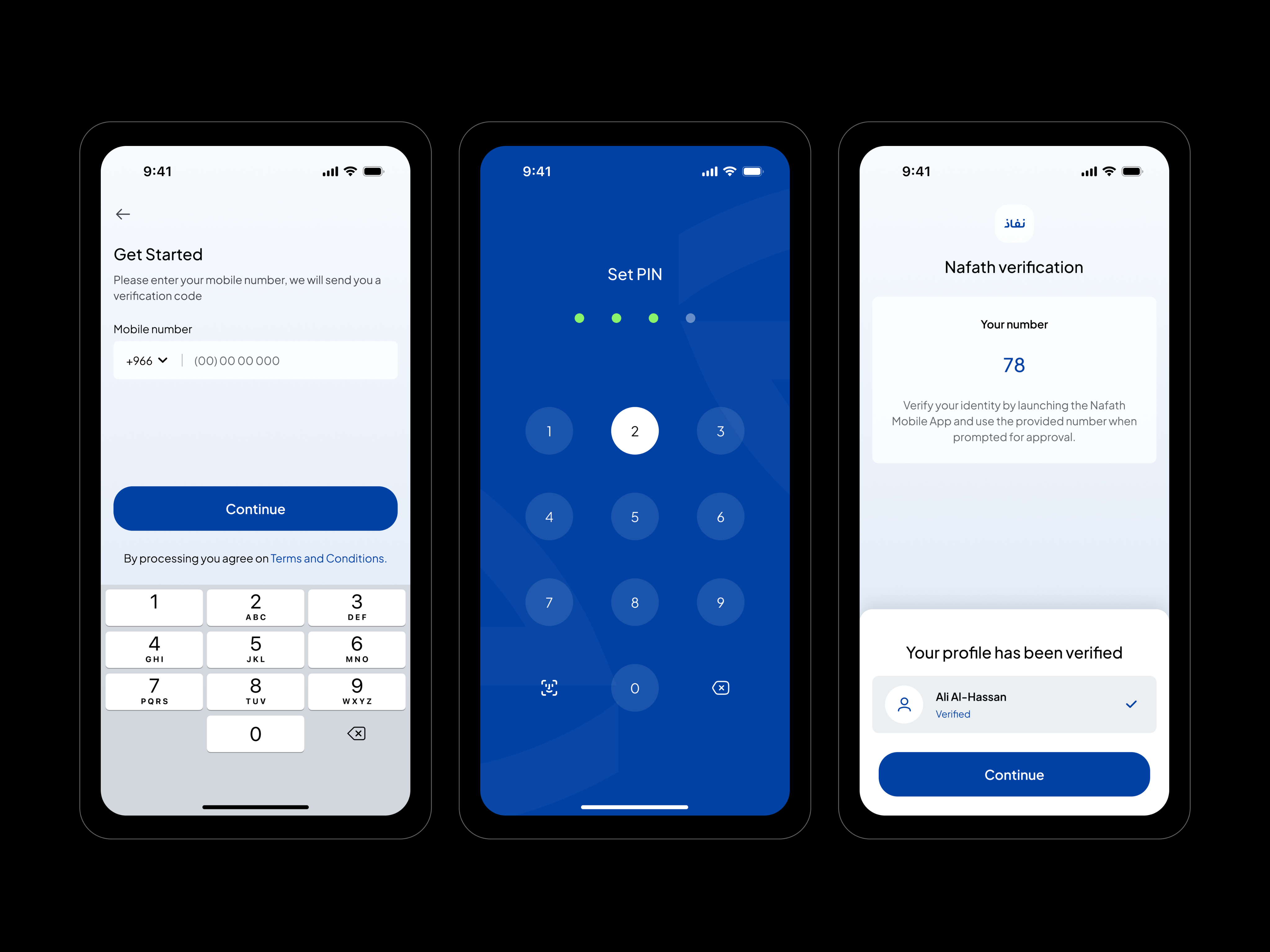
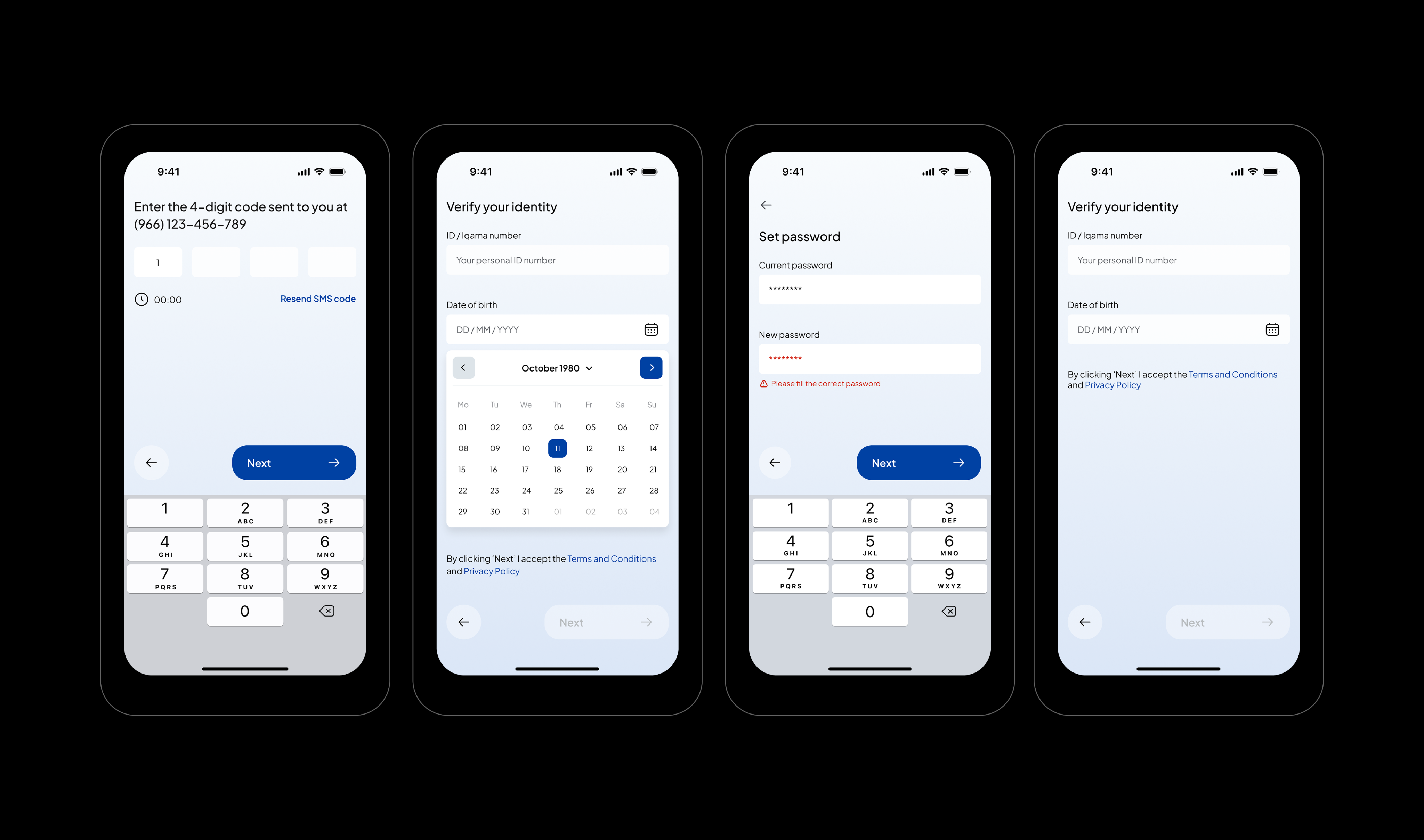
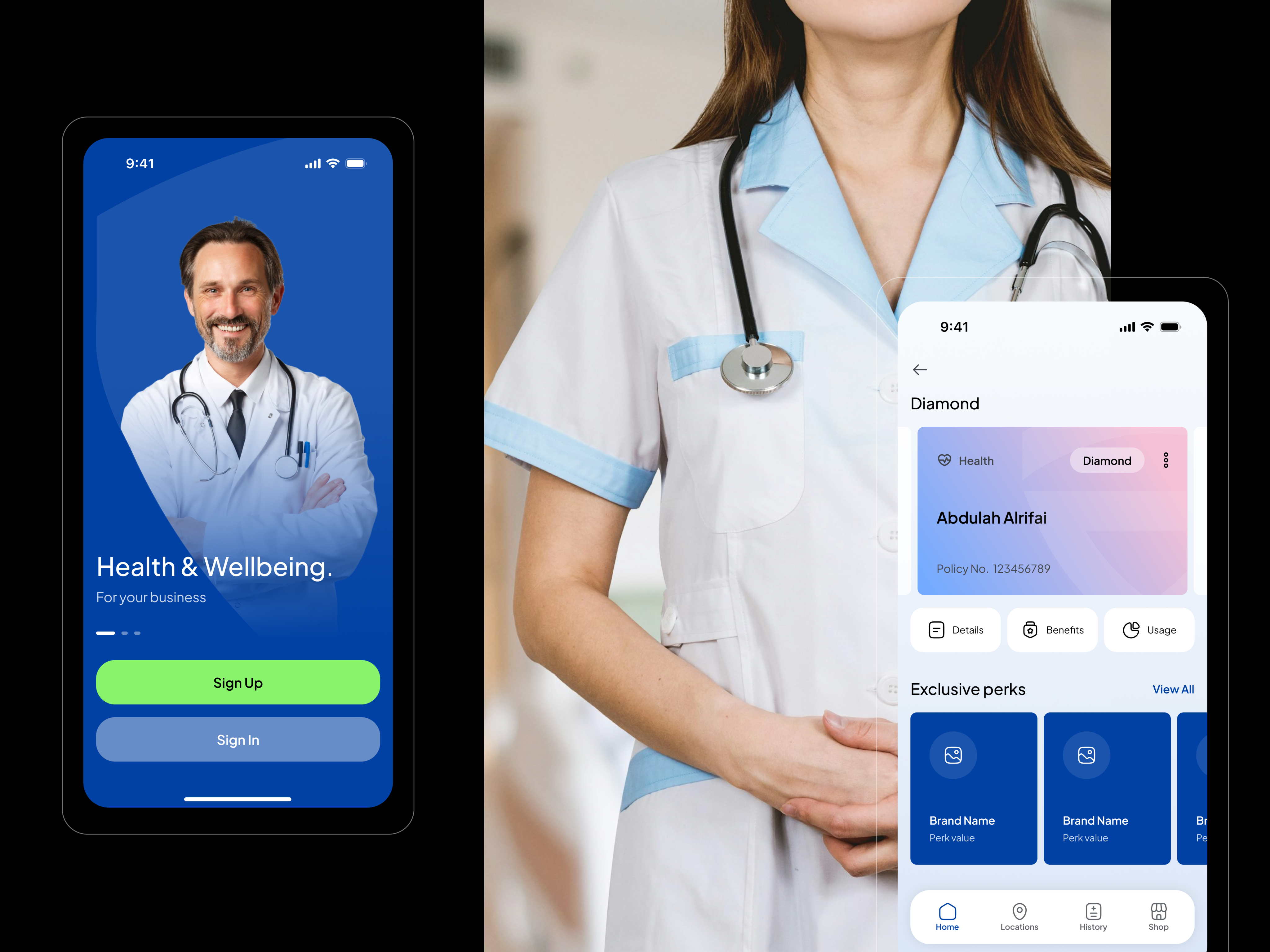
The onboarding flow of the Ensurily app is designed to be simple and user-friendly. It begins with a Welcome screen that give the opportunity to create account or login.
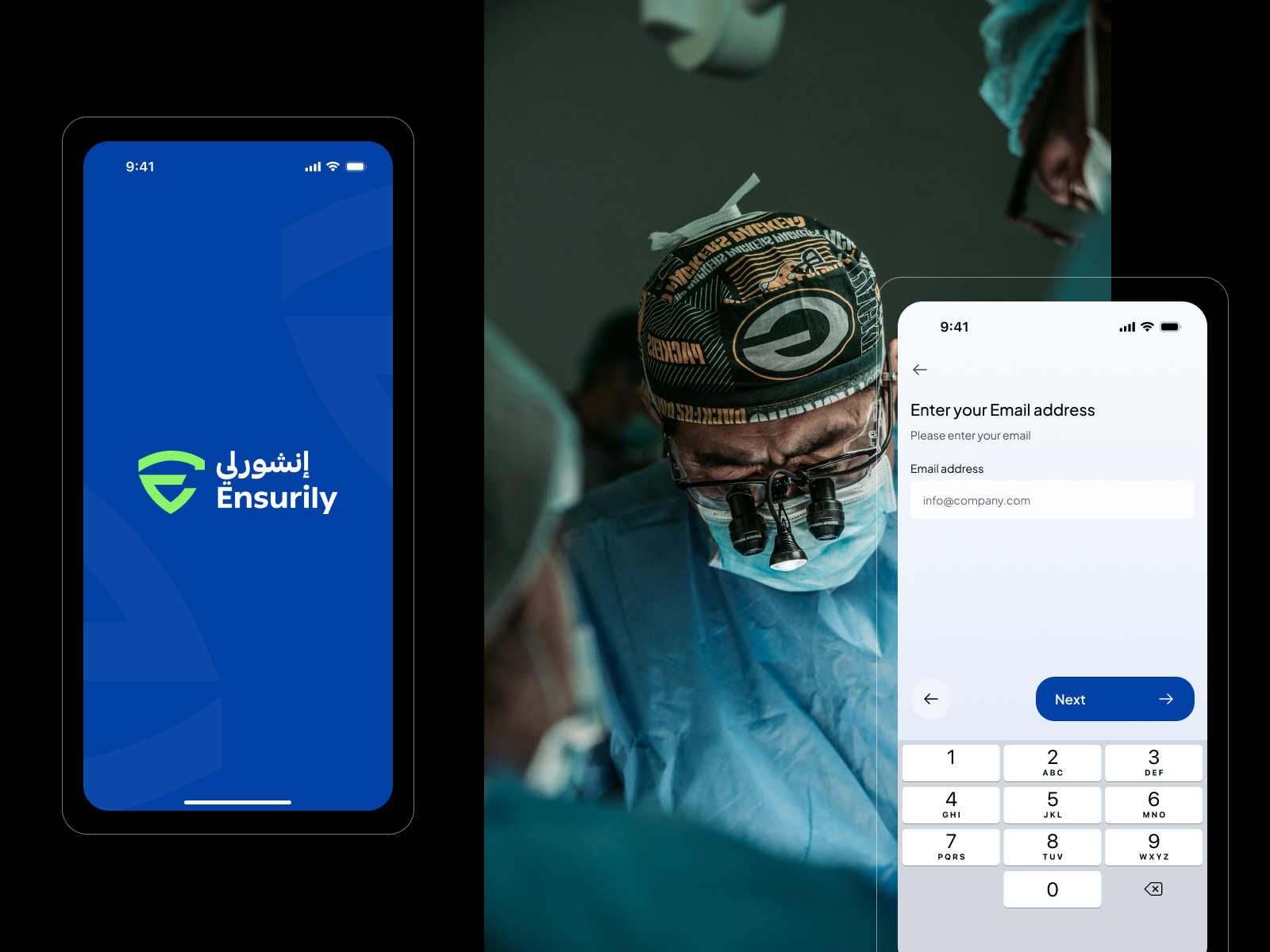
Next, the Account Registration screen allows users to create an account by entering basic details or using social login, with a clean and minimal interface for easy use.
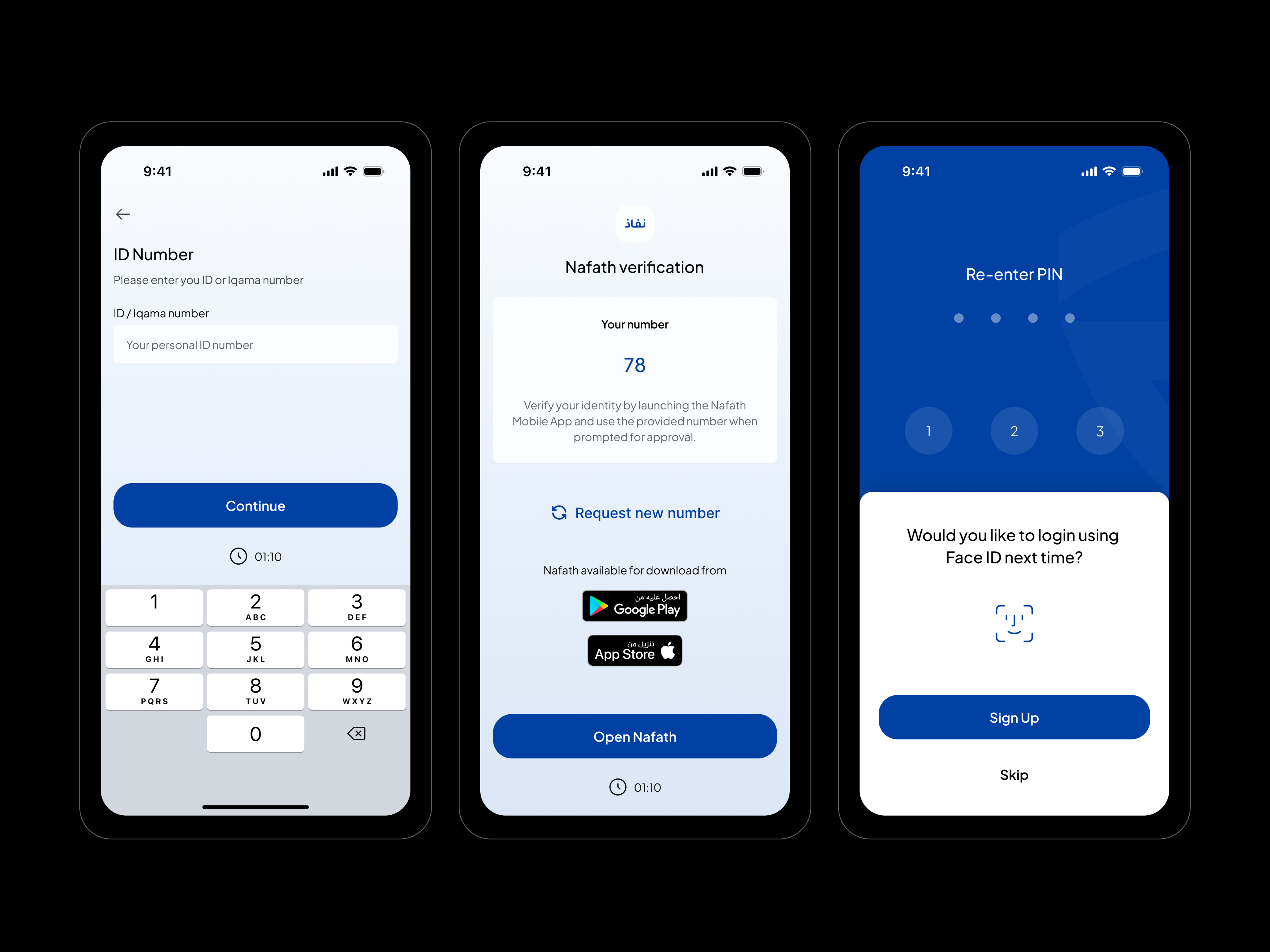
Finally, the Identity Verification step confirms the user’s identity through Nafath verification, ensuring security while guiding users through a clear and smooth process.
Choose plan & Search locations
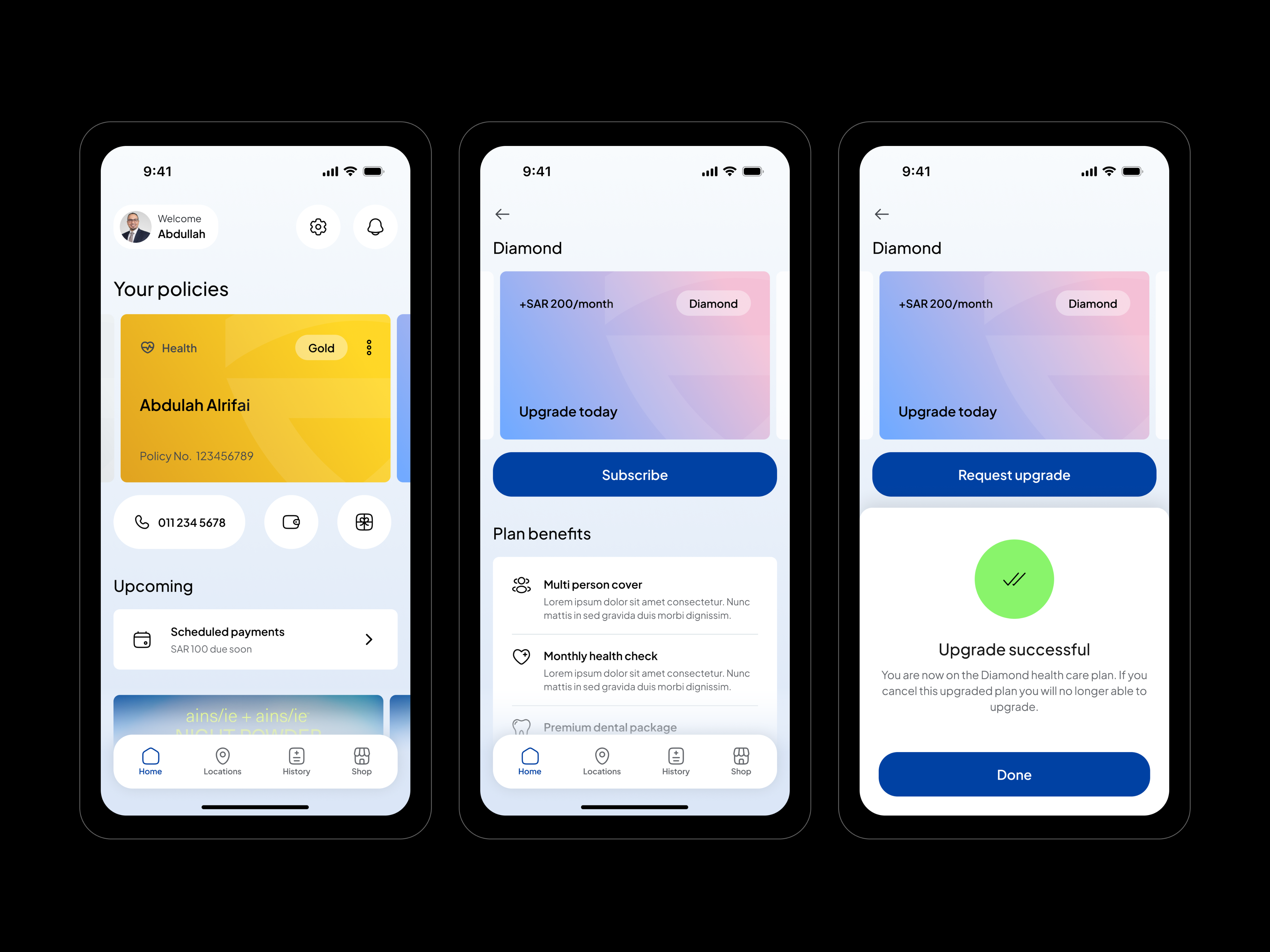
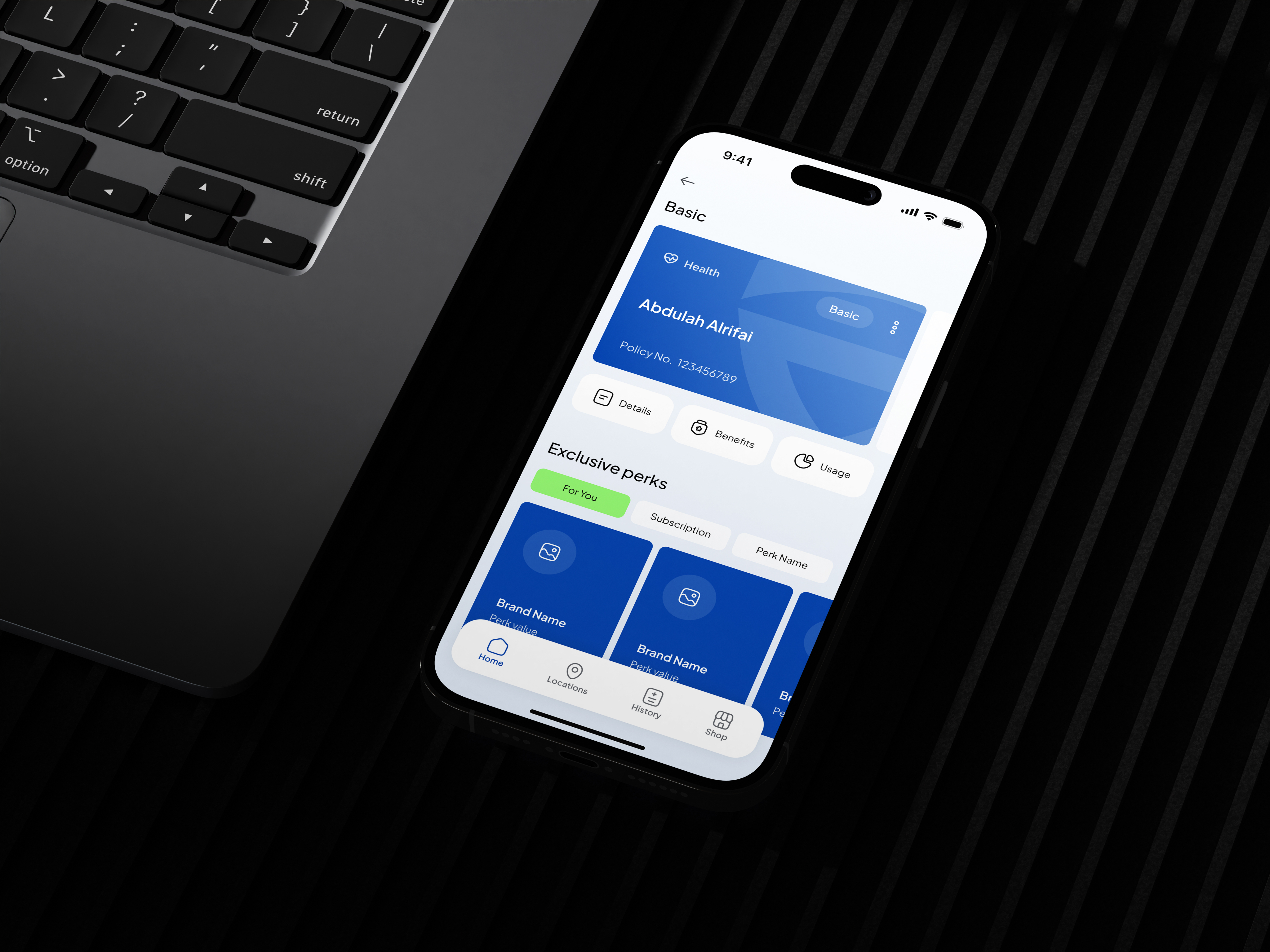
The Choose Plan feature is designed to help users quickly compare and select the most suitable insurance option. The interface presents plans in clear, easy-to-read cards that highlight key information such as coverage, price, and main benefits. Visual hierarchy, icons, and concise descriptions make it easier for users to scan and compare options.
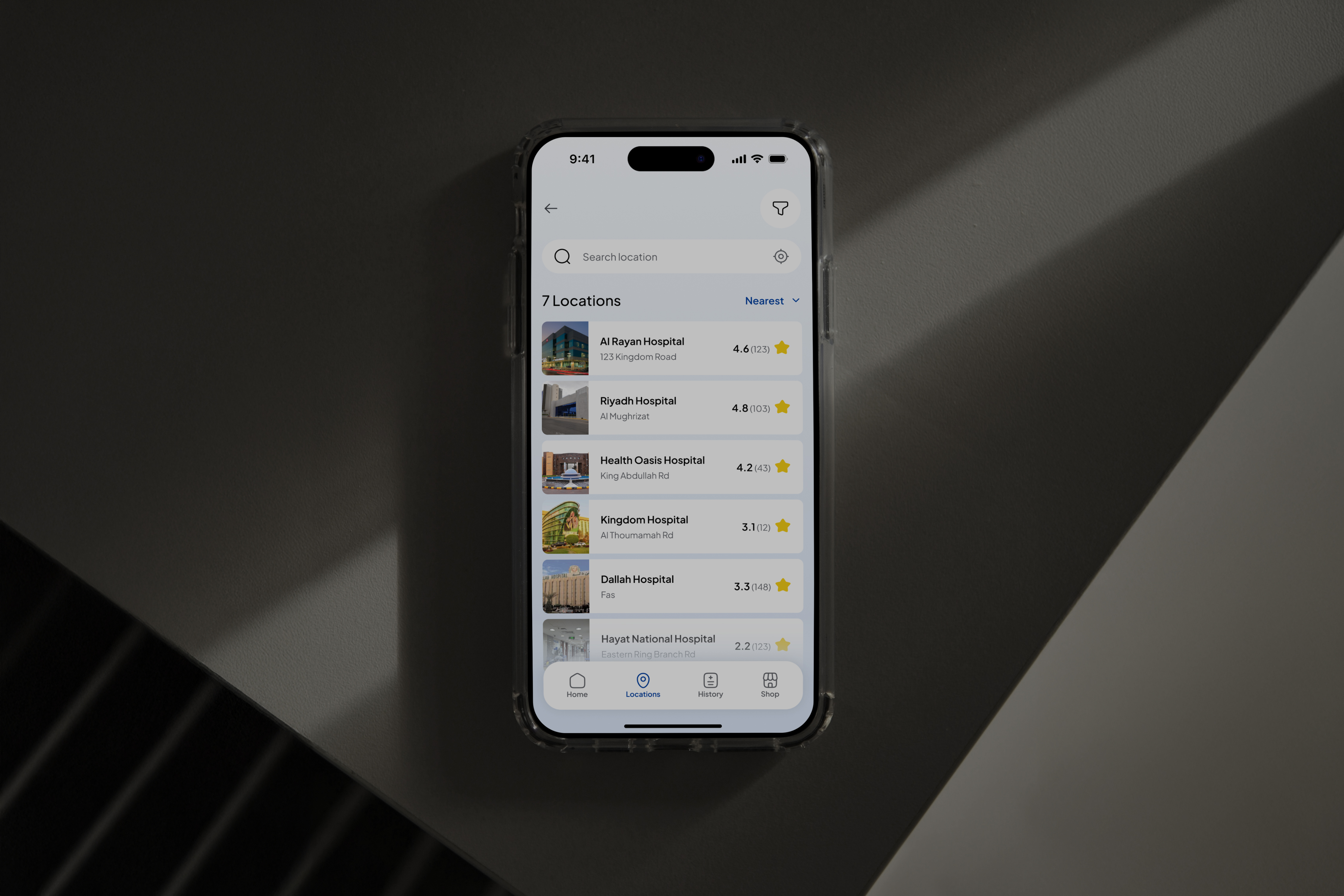
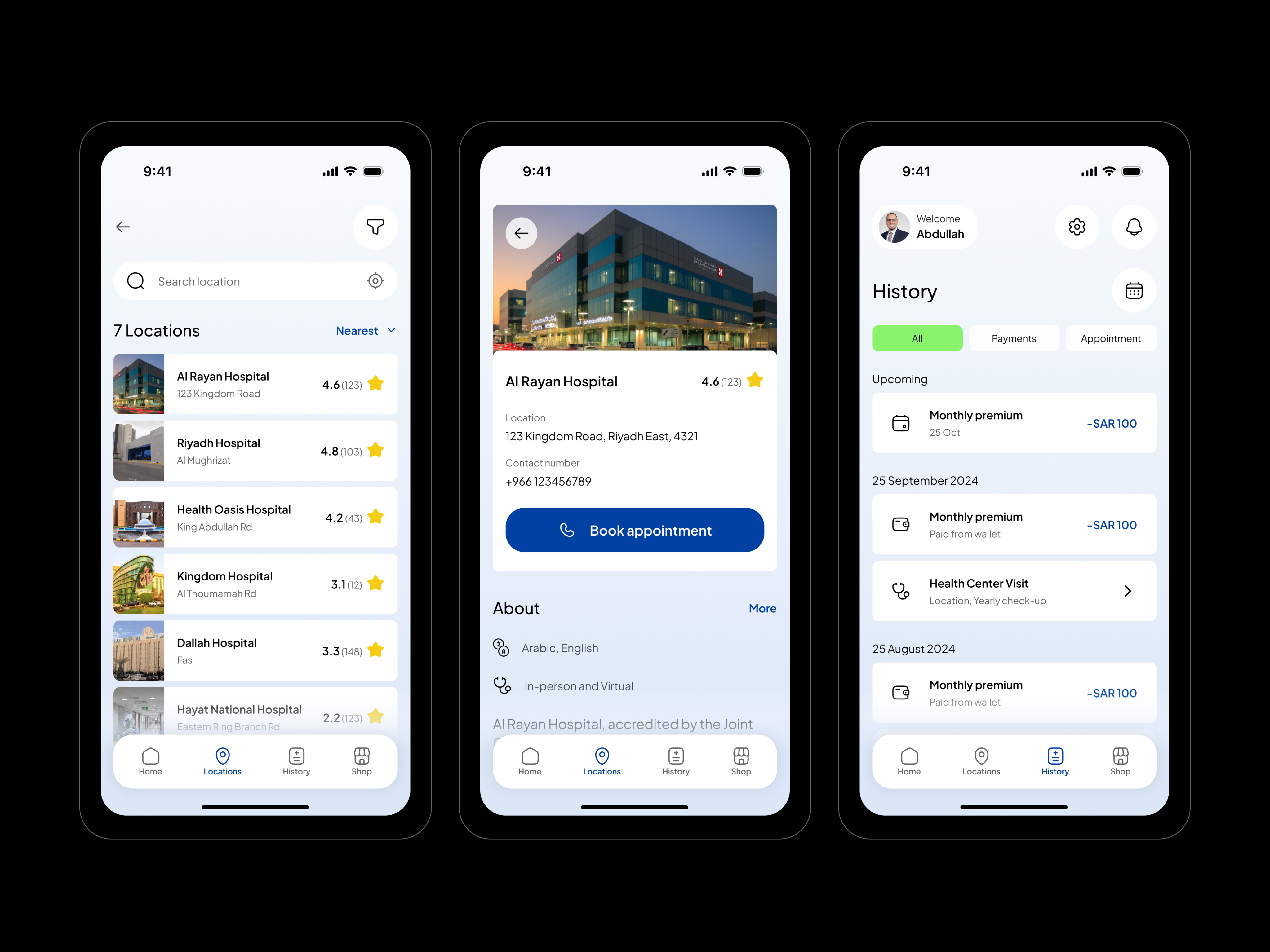
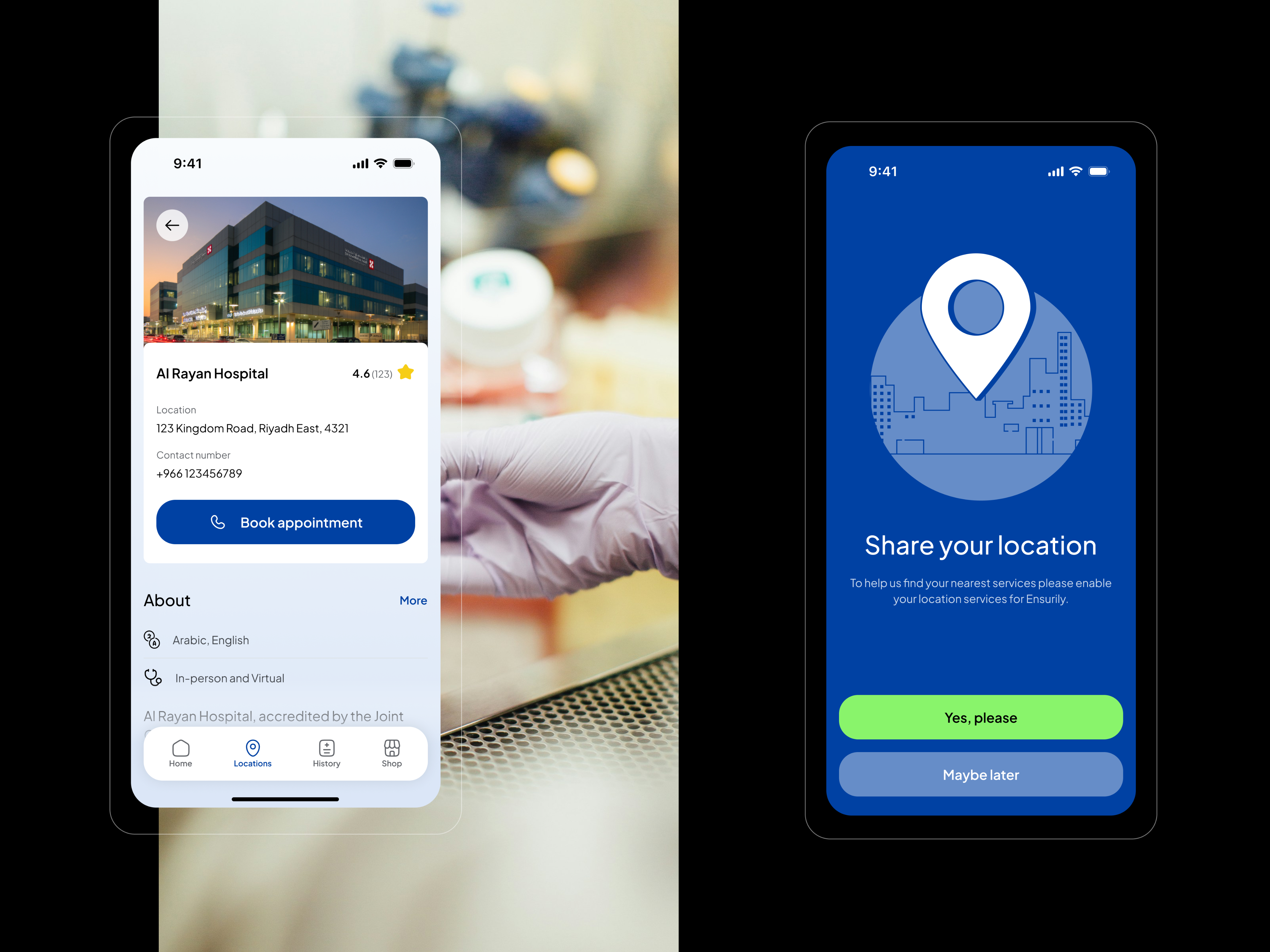
The Search Location feature helps users find nearby hospitals, clinics, or healthcare providers included in their insurance network. The UI combines a search bar with a hospitals list view to provide both text-based and visual navigation. Users can quickly type a location or enable GPS to see nearby medical facilities.
Account details & Settings
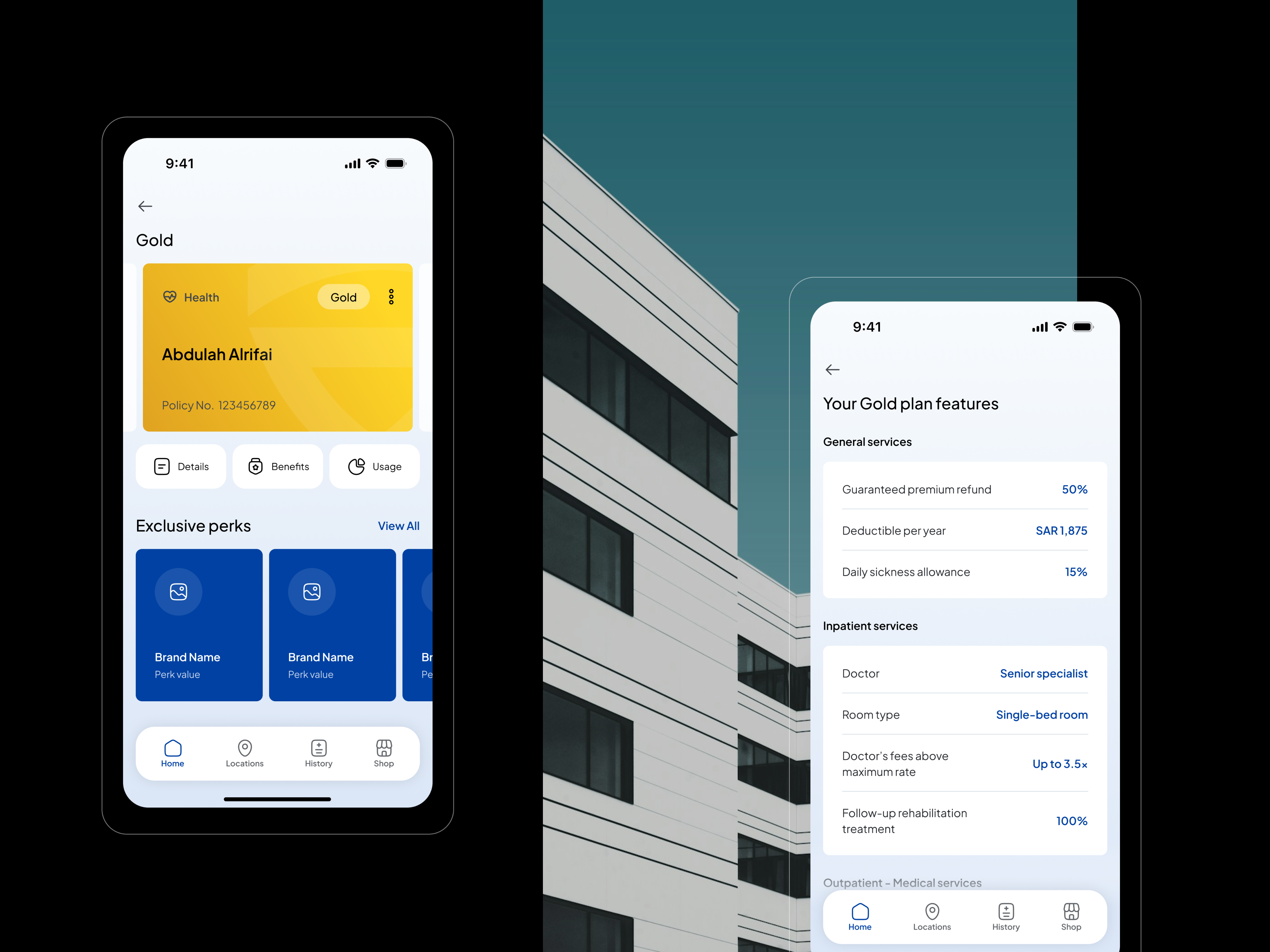
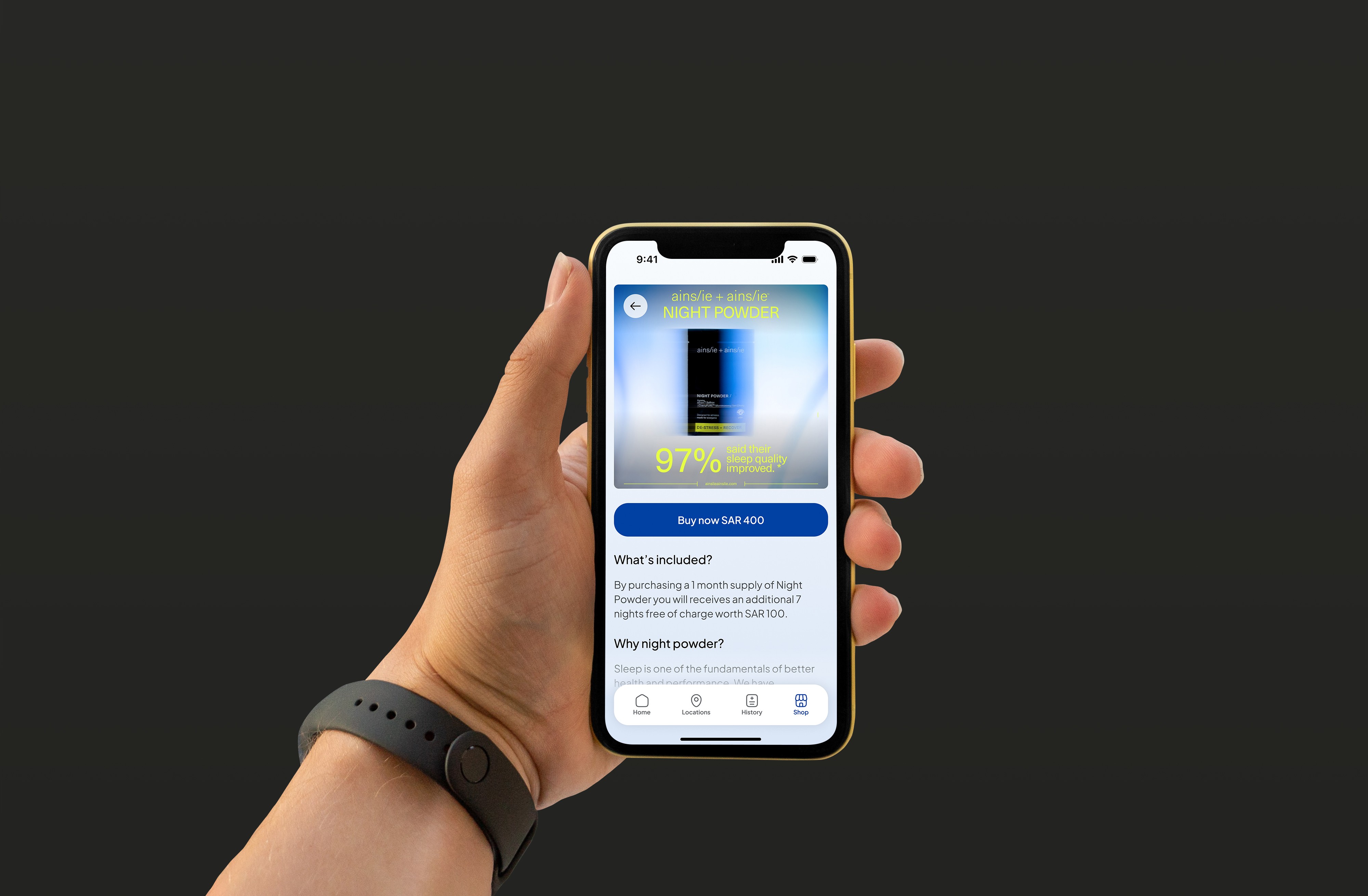
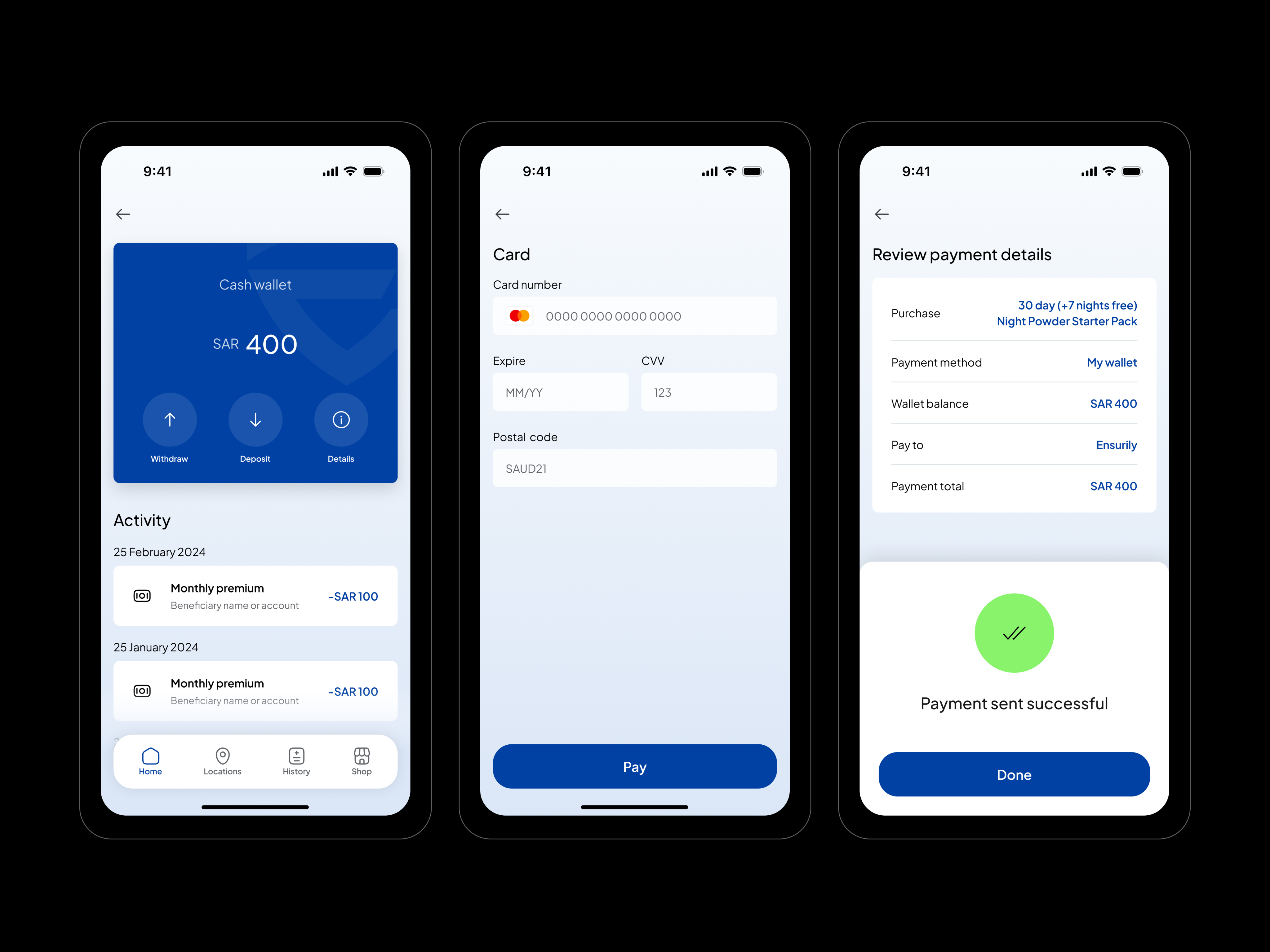
The Wallet feature provides users with a clear overview of their insurance-related payments and policy details in one place. The interface is designed with simple cards that display payment history, active policies, and available balances. Key actions such as viewing transactions or managing payment methods are easily accessible, ensuring a clean and organized financial overview.
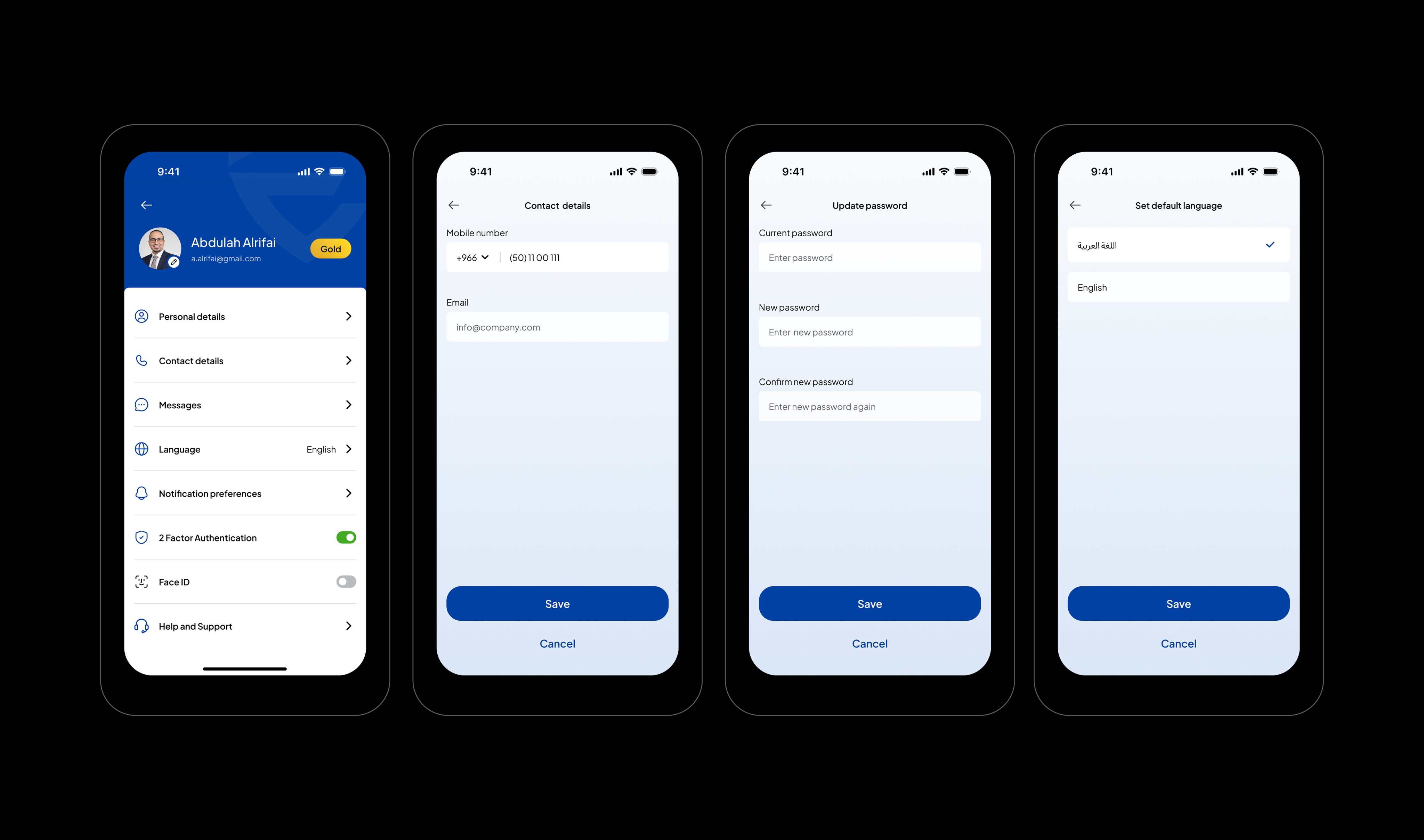
The Settings section allows users to manage their account preferences and personal information. The UI is structured with a clear list layout, making it easy to update profile details, security options, language preferences, and app configurations.
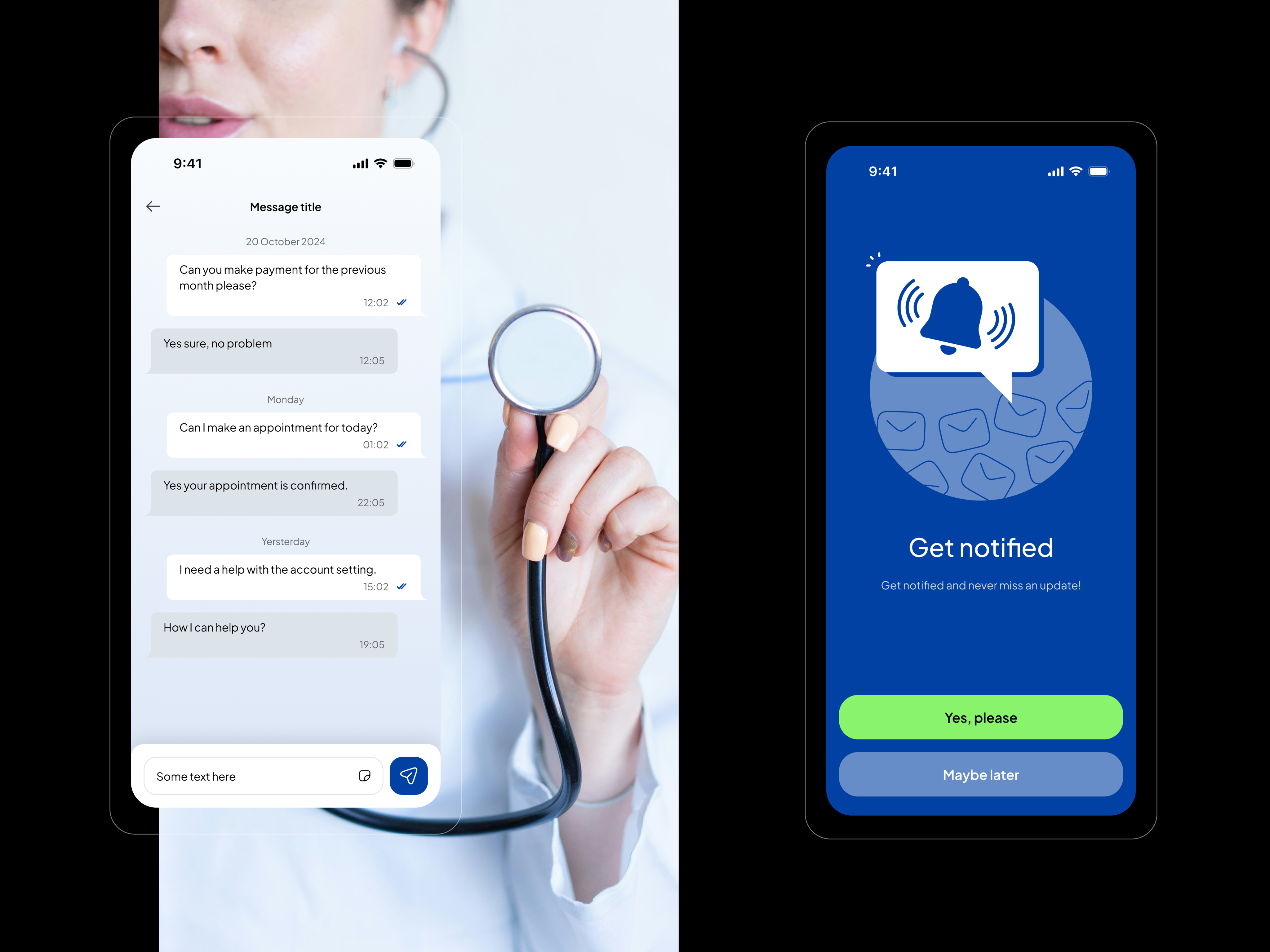
The Notifications feature keeps users informed about important updates such as policy reminders, payment confirmations, and health service alerts.
Result
As a result, a user-friendly mobile application for medical insurance was designed from screatch, including a clear app structure, interactive prototype, and a consistent visual identity. The final design provides an intuitive user experience, allowing users to easily manage insurance plans, find healthcare providers, and access important information within the app.


Ensurily
/05
Client
Ensurily
Industry
Med Tech, Insurance
Involvement
App Design for iOS, Product Design, Design System
task
The primary objective of this project was to design a mobile application for the iOS platform for a company specializing in medical insurance.
approach
he task involved developing the app’s structure, creating a functional prototype, and establishing the brand’s visual identity based on the existing logo and color palette. My approach focused on designing an application that is intuitive, easy to use, and accessible for a wide range of users.
Ensurily is a digital app designed to simplify medical insurance. It helps users easily compare plans, manage policies, and access healthcare coverage in one place, making insurance more transparent, convenient, and accessible through a mobile-first experience.
Onboarding process
The onboarding flow of the Ensurily app is designed to be simple and user-friendly. It begins with a Welcome screen that give the opportunity to create account or login.
Next, the Account Registration screen allows users to create an account by entering basic details or using social login, with a clean and minimal interface for easy use.
Finally, the Identity Verification step confirms the user’s identity through Nafath verification, ensuring security while guiding users through a clear and smooth process.
Choose plan & Search locations
The Choose Plan feature is designed to help users quickly compare and select the most suitable insurance option. The interface presents plans in clear, easy-to-read cards that highlight key information such as coverage, price, and main benefits. Visual hierarchy, icons, and concise descriptions make it easier for users to scan and compare options.
The Search Location feature helps users find nearby hospitals, clinics, or healthcare providers included in their insurance network. The UI combines a search bar with a hospitals list view to provide both text-based and visual navigation. Users can quickly type a location or enable GPS to see nearby medical facilities.
Account details & Settings
The Wallet feature provides users with a clear overview of their insurance-related payments and policy details in one place. The interface is designed with simple cards that display payment history, active policies, and available balances. Key actions such as viewing transactions or managing payment methods are easily accessible, ensuring a clean and organized financial overview.
The Settings section allows users to manage their account preferences and personal information. The UI is structured with a clear list layout, making it easy to update profile details, security options, language preferences, and app configurations.
The Notifications feature keeps users informed about important updates such as policy reminders, payment confirmations, and health service alerts.
Result
As a result, a user-friendly mobile application for medical insurance was designed from screatch, including a clear app structure, interactive prototype, and a consistent visual identity. The final design provides an intuitive user experience, allowing users to easily manage insurance plans, find healthcare providers, and access important information within the app.

Ensurily
/05
Client
Ensurily
Industry
Med Tech, Insurance
Involvement
App Design for iOS, Product Design, Design System
task
The primary objective of this project was to design a mobile application for the iOS platform for a company specializing in medical insurance.
approach
he task involved developing the app’s structure, creating a functional prototype, and establishing the brand’s visual identity based on the existing logo and color palette. My approach focused on designing an application that is intuitive, easy to use, and accessible for a wide range of users.
Ensurily is a digital app designed to simplify medical insurance. It helps users easily compare plans, manage policies, and access healthcare coverage in one place, making insurance more transparent, convenient, and accessible through a mobile-first experience.
Onboarding process
The onboarding flow of the Ensurily app is designed to be simple and user-friendly. It begins with a Welcome screen that give the opportunity to create account or login.
Next, the Account Registration screen allows users to create an account by entering basic details or using social login, with a clean and minimal interface for easy use.
Finally, the Identity Verification step confirms the user’s identity through Nafath verification, ensuring security while guiding users through a clear and smooth process.
Choose plan & Search locations
The Choose Plan feature is designed to help users quickly compare and select the most suitable insurance option. The interface presents plans in clear, easy-to-read cards that highlight key information such as coverage, price, and main benefits. Visual hierarchy, icons, and concise descriptions make it easier for users to scan and compare options.
The Search Location feature helps users find nearby hospitals, clinics, or healthcare providers included in their insurance network. The UI combines a search bar with a hospitals list view to provide both text-based and visual navigation. Users can quickly type a location or enable GPS to see nearby medical facilities.
Account details & Settings
The Wallet feature provides users with a clear overview of their insurance-related payments and policy details in one place. The interface is designed with simple cards that display payment history, active policies, and available balances. Key actions such as viewing transactions or managing payment methods are easily accessible, ensuring a clean and organized financial overview.
The Settings section allows users to manage their account preferences and personal information. The UI is structured with a clear list layout, making it easy to update profile details, security options, language preferences, and app configurations.
The Notifications feature keeps users informed about important updates such as policy reminders, payment confirmations, and health service alerts.
Result
As a result, a user-friendly mobile application for medical insurance was designed from screatch, including a clear app structure, interactive prototype, and a consistent visual identity. The final design provides an intuitive user experience, allowing users to easily manage insurance plans, find healthcare providers, and access important information within the app.
